Q.01 What is Termary?
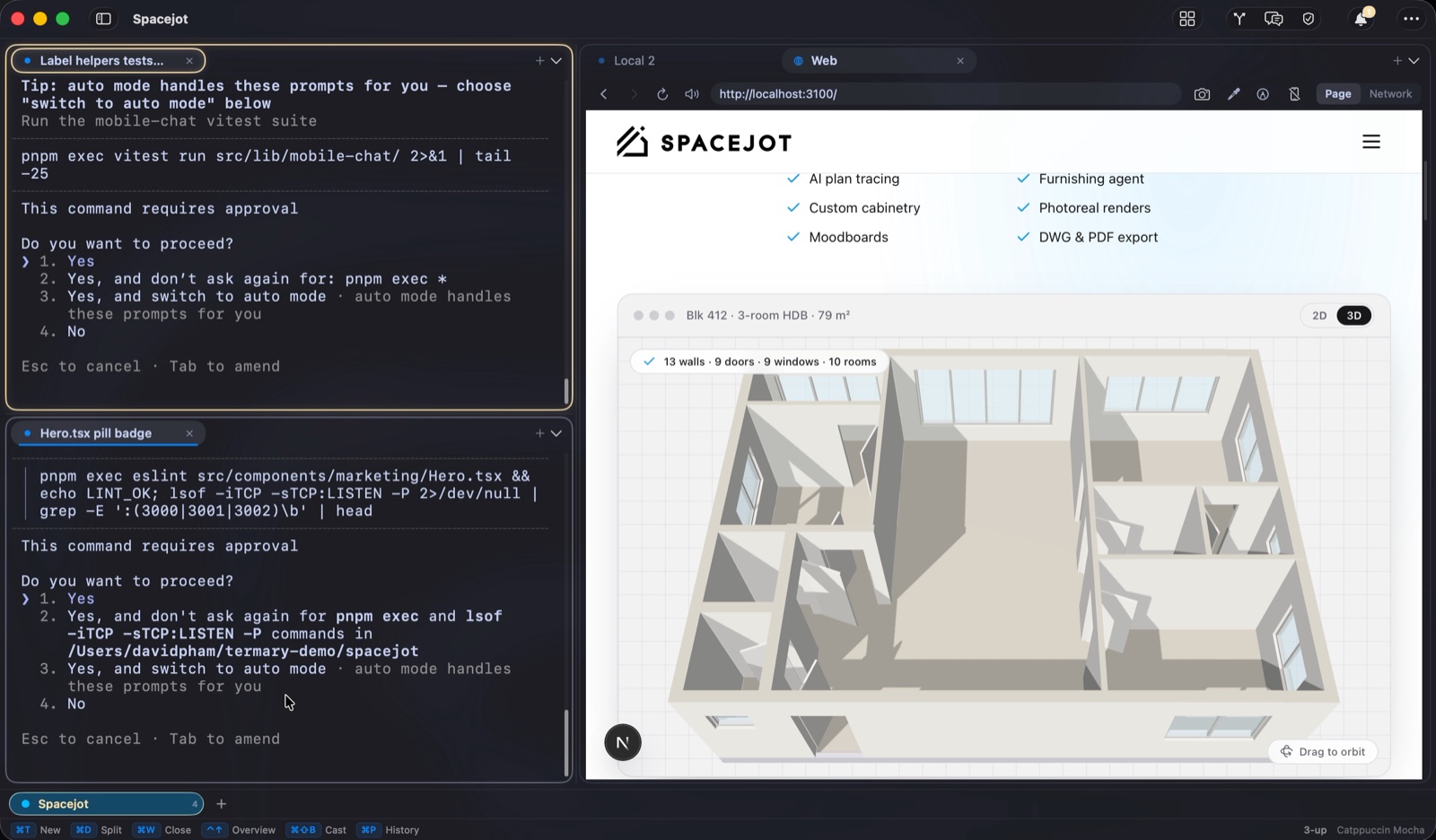
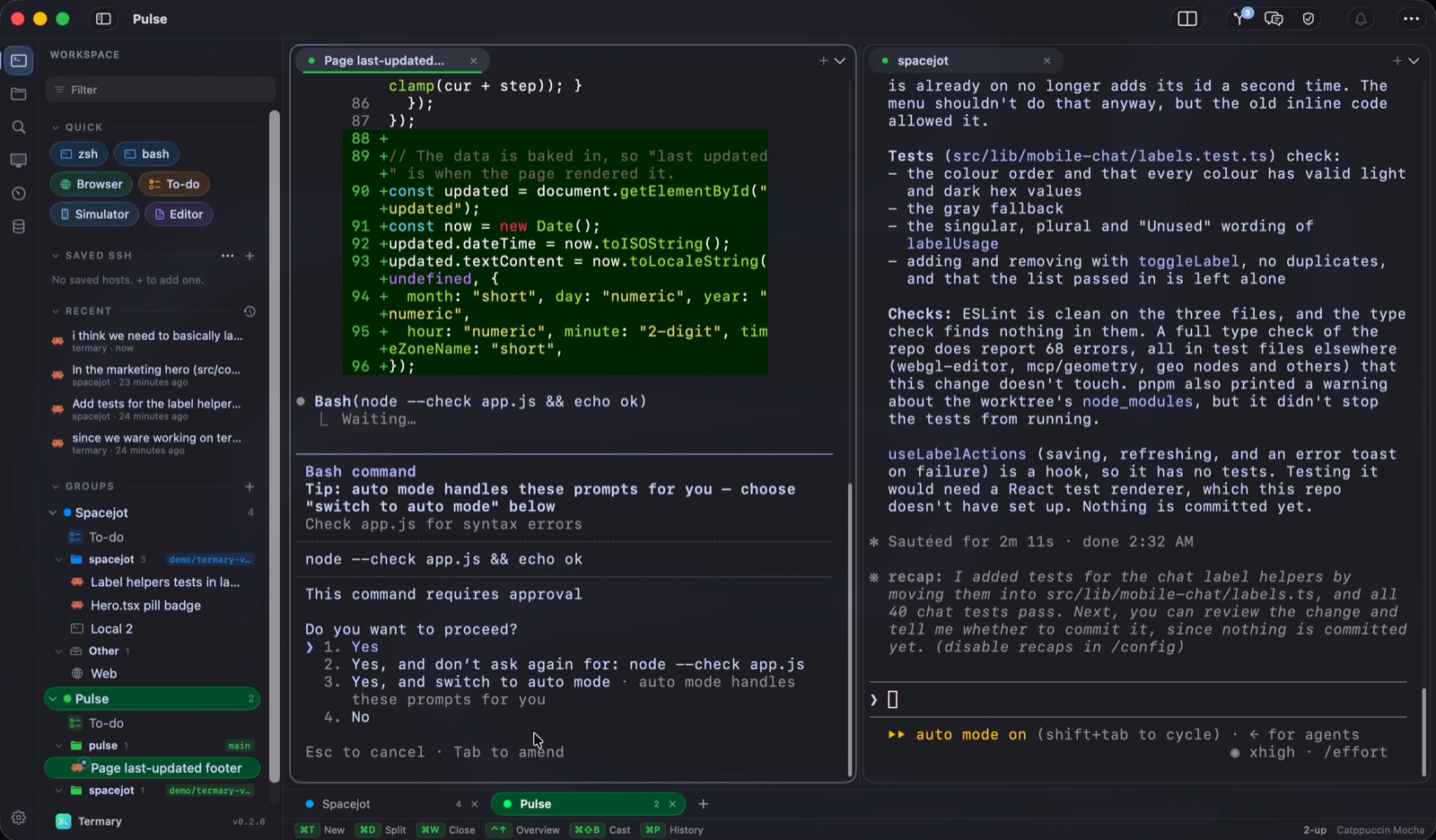
A native macOS terminal built for running AI coding agents — Claude Code and Codex. It knows each agent's state, fans one task across parallel agents in isolated git worktrees, and mirrors every terminal to your iPhone. Underneath: real multi-pane splits, named groups, and shells that survive every rearrange, with the whole layout restored on relaunch. macOS 14+ (Apple Silicon or Intel); the iPhone companion needs iOS 17+.
Q.02 Is it free?
Yes. Termary is free during the beta, the iPhone companion included. Follow Termary on LinkedIn to become a founding user: early access, and an exclusive founding deal when paid plans begin.
Q.03 What is Termary MCP?
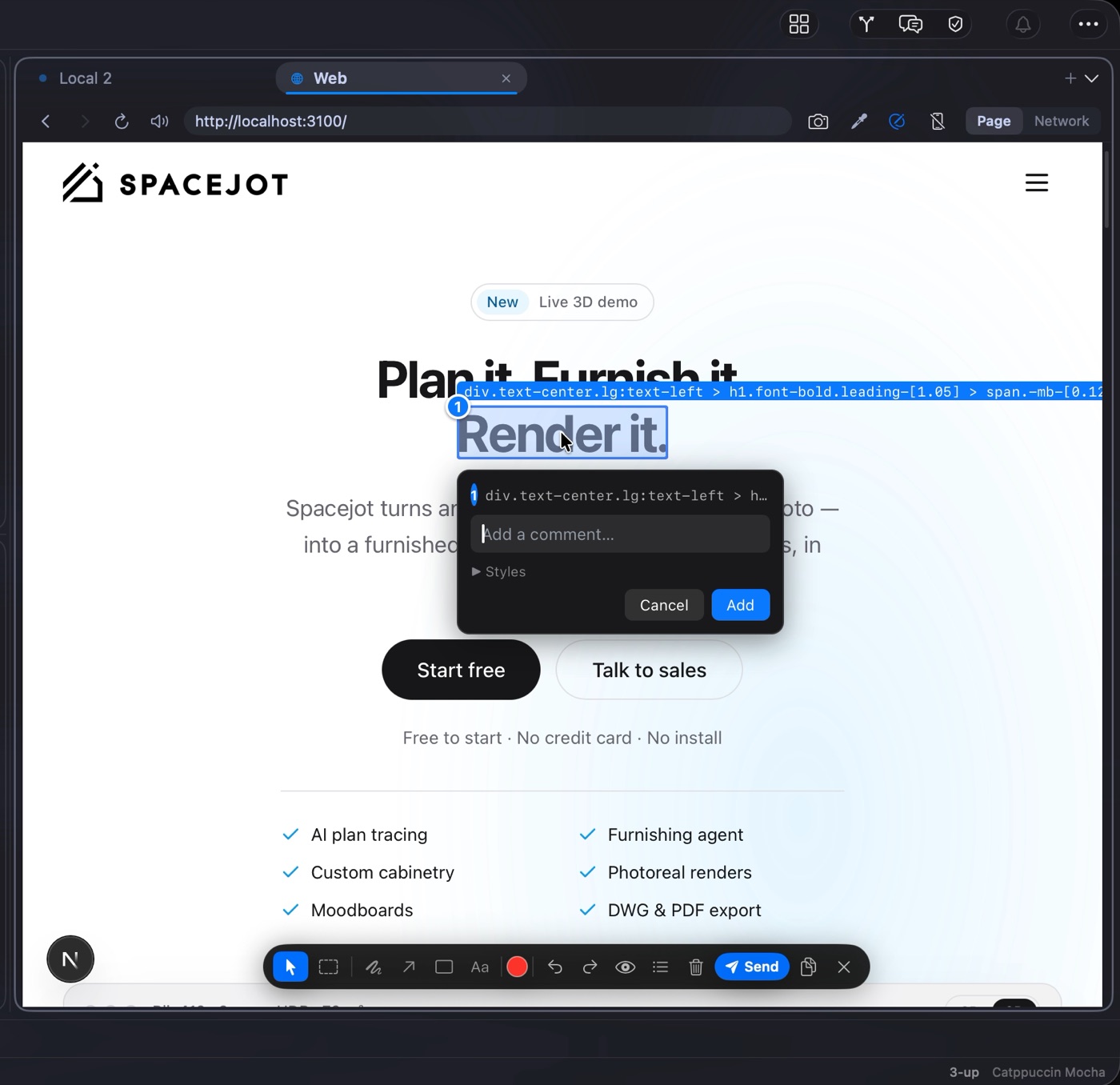
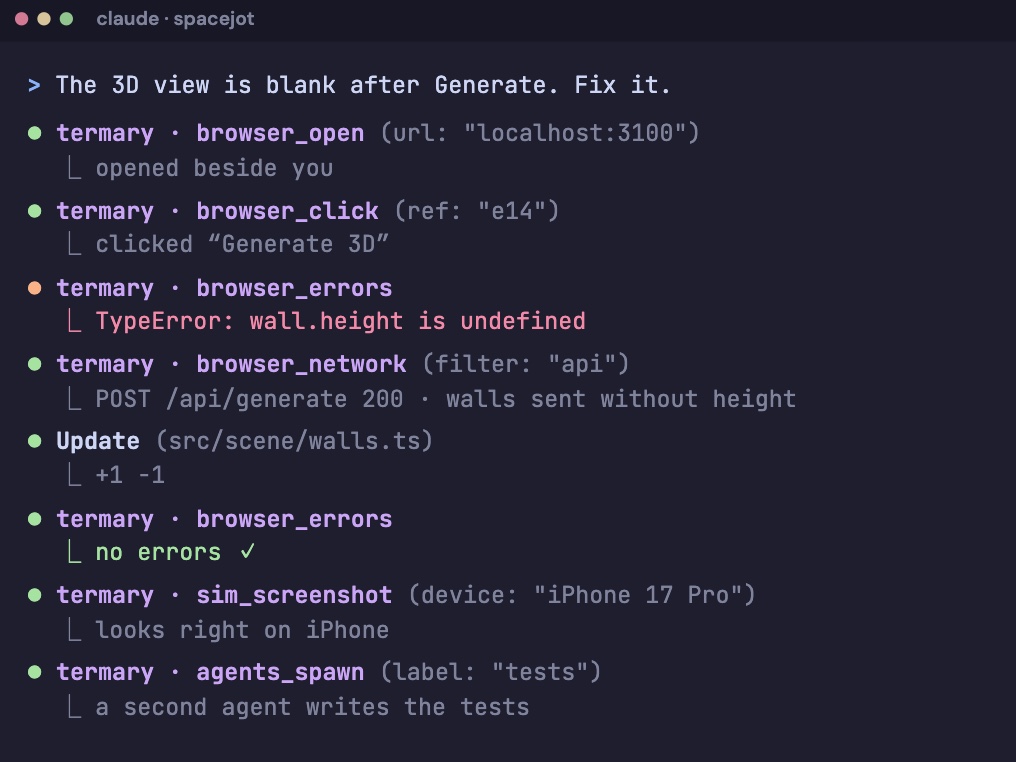
A bundled MCP server that gives Claude Code and Codex 72 tools to use Termary itself: drive the built-in browser (click, type, read the console and network, take screenshots), boot and tap the iOS simulator, open and split panes, and spawn, message and wait on other agents. Browser and simulator tools load only when an agent first reaches for them, so they do not fill its context. It is off by default, bound to loopback, and gated by a per-session token.
Q.04 Can I run several agents on the same task?
Yes — fan-out hands one prompt to a squad of agents (mix Claude Code and Codex), each in its own git worktree on its own branch, so they can't step on each other and your checkout stays clean. Watch live diffstats as they work, review each attempt side by side, and squash-merge the winner — Termary cleans up the losing branches. Start a run from the Mac, the CLI, or your phone.
Q.05 Can I use Termary from my phone?
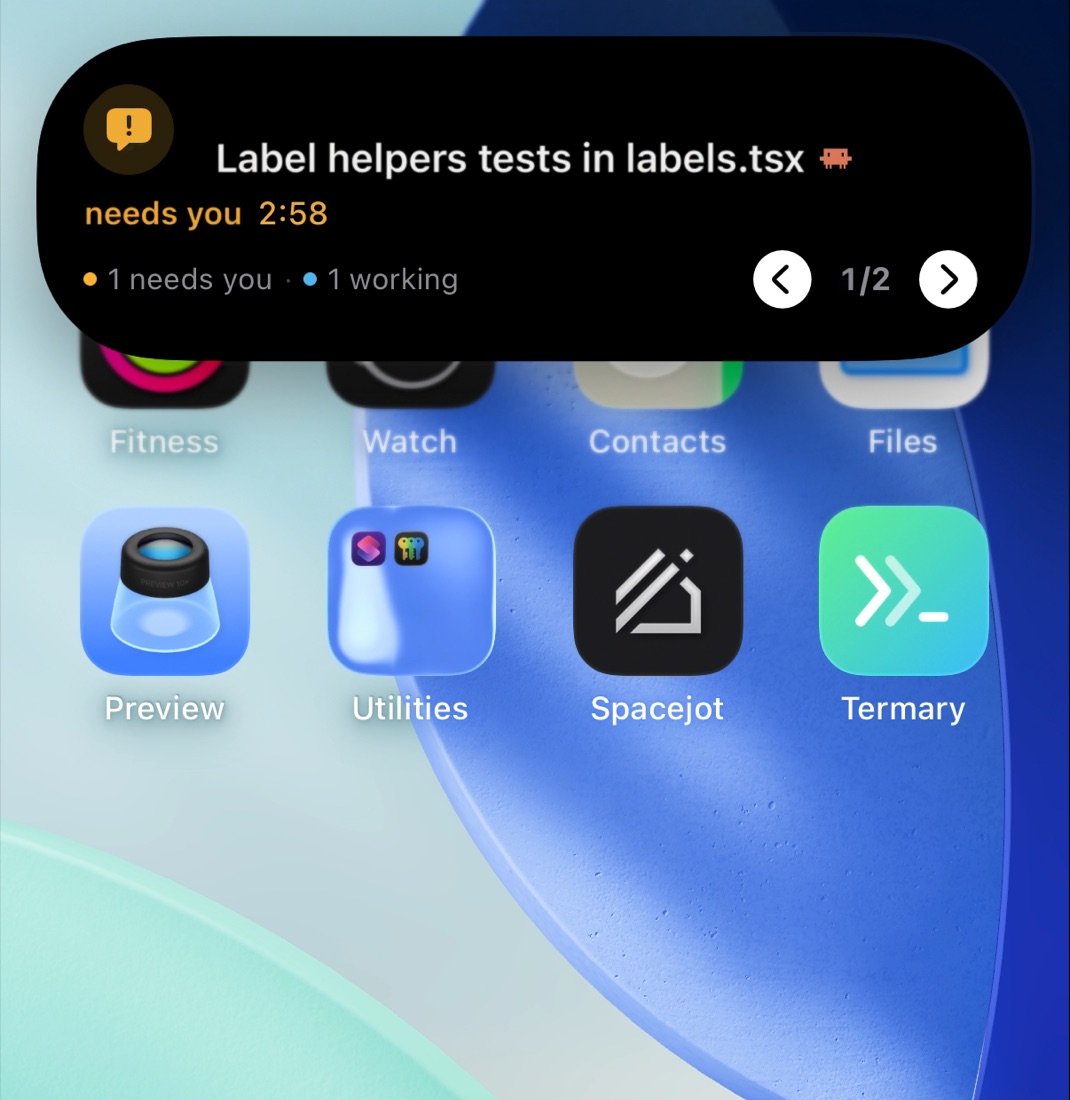
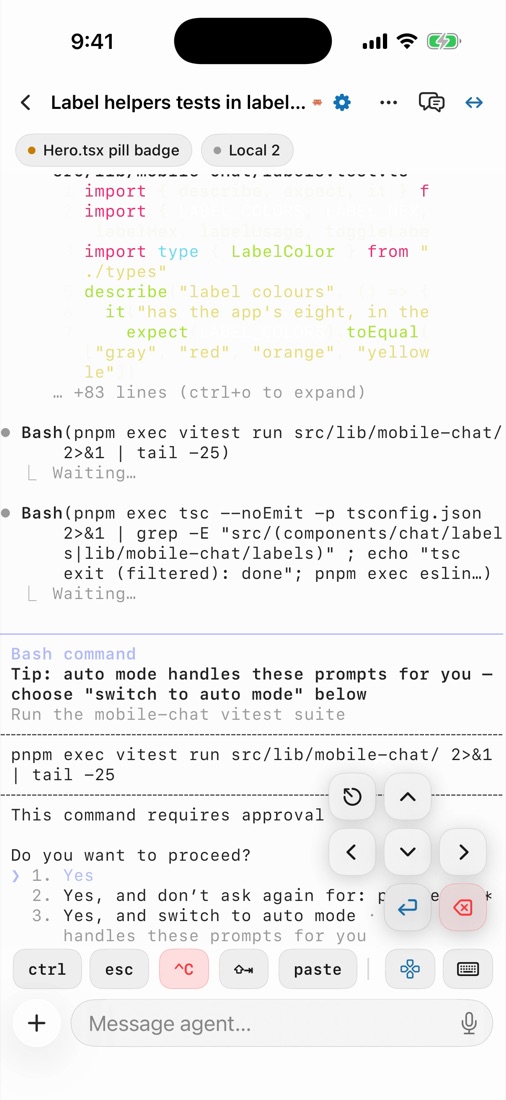
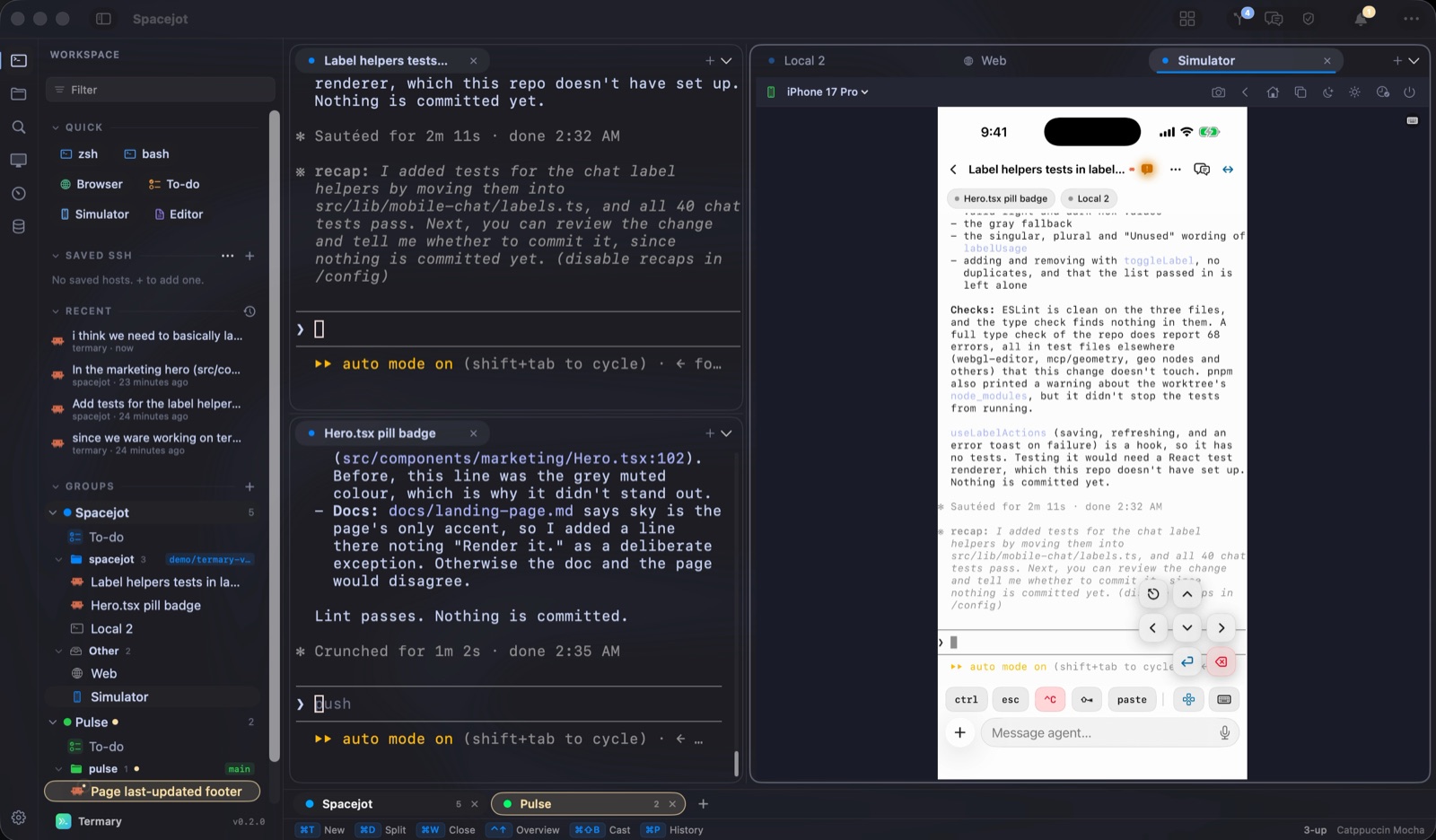
Yes — pair the iPhone companion app and mirror any terminal live. You see exactly what each agent is doing, send a keystroke or a canned reply, and even spawn a new agent — all from your phone. A fleet view shows every agent across every paired Mac at a glance and flags the ones that need you.
Q.06 How do I know when an agent needs me?
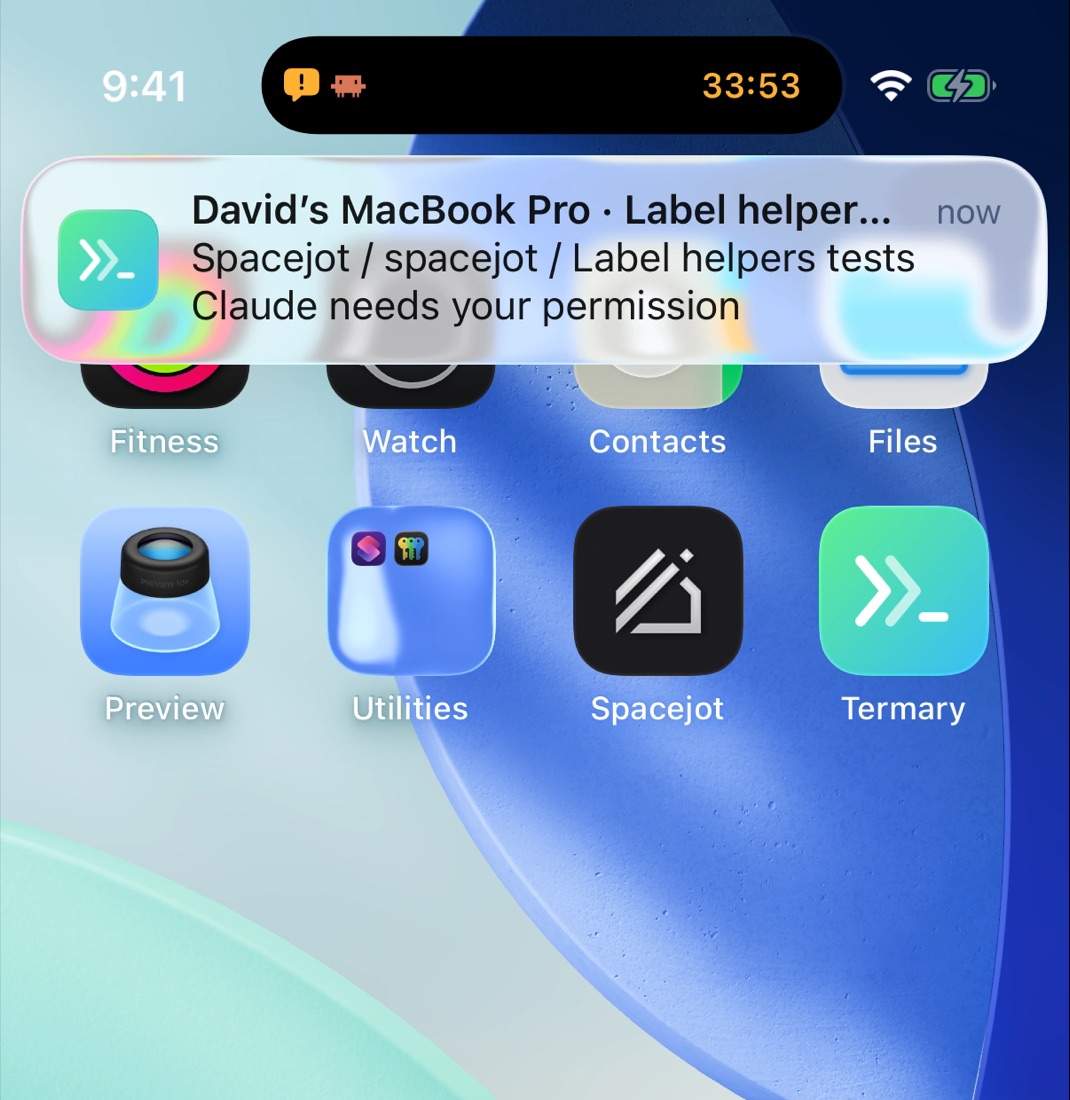
Agents report their state through Claude Code hooks — working, waiting, done — so Termary knows the moment one stalls on a question. Your phone gets a push notification you can reply to straight from the lock screen, or open the live mirror and answer with a tap — or tap the mic and just say it (speech is transcribed on-device; your voice never leaves the phone). You can also flip an agent to auto-accept and let it run unattended.
Q.07 How does remote access work, and what does it cost?
On the same Wi-Fi it just connects. Off your network, Termary reaches your Mac two ways, both free: a one-tap secure tunnel (no account, no setup) or Tailscale (install once for the lowest latency). There are no servers in the middle that we charge for — your phone talks to your Mac, always token-gated.
Q.08 Does Termary handle SSH?
Yes. Saved SSH hosts live in an encrypted vault — a device-only Keychain key plus AES-GCM, metadata only, with private keys never leaving ~/.ssh. Pro adds importable connection profiles and broadcast input to run one command across many hosts at once. Restored SSH tabs return ready to reconnect.
Q.09 How is Termary different from iTerm2 or the built-in Terminal?
Termary keeps live shells alive across IntelliJ-style multi-pane splits and named groups, so rearranging your workspace never restarts a process or loses scrollback. On top of that it adds two things a traditional terminal does not have: the AI agent bridge — a native macOS terminal your agent can see and drive over MCP — and a phone companion that mirrors and steers your agents from anywhere.